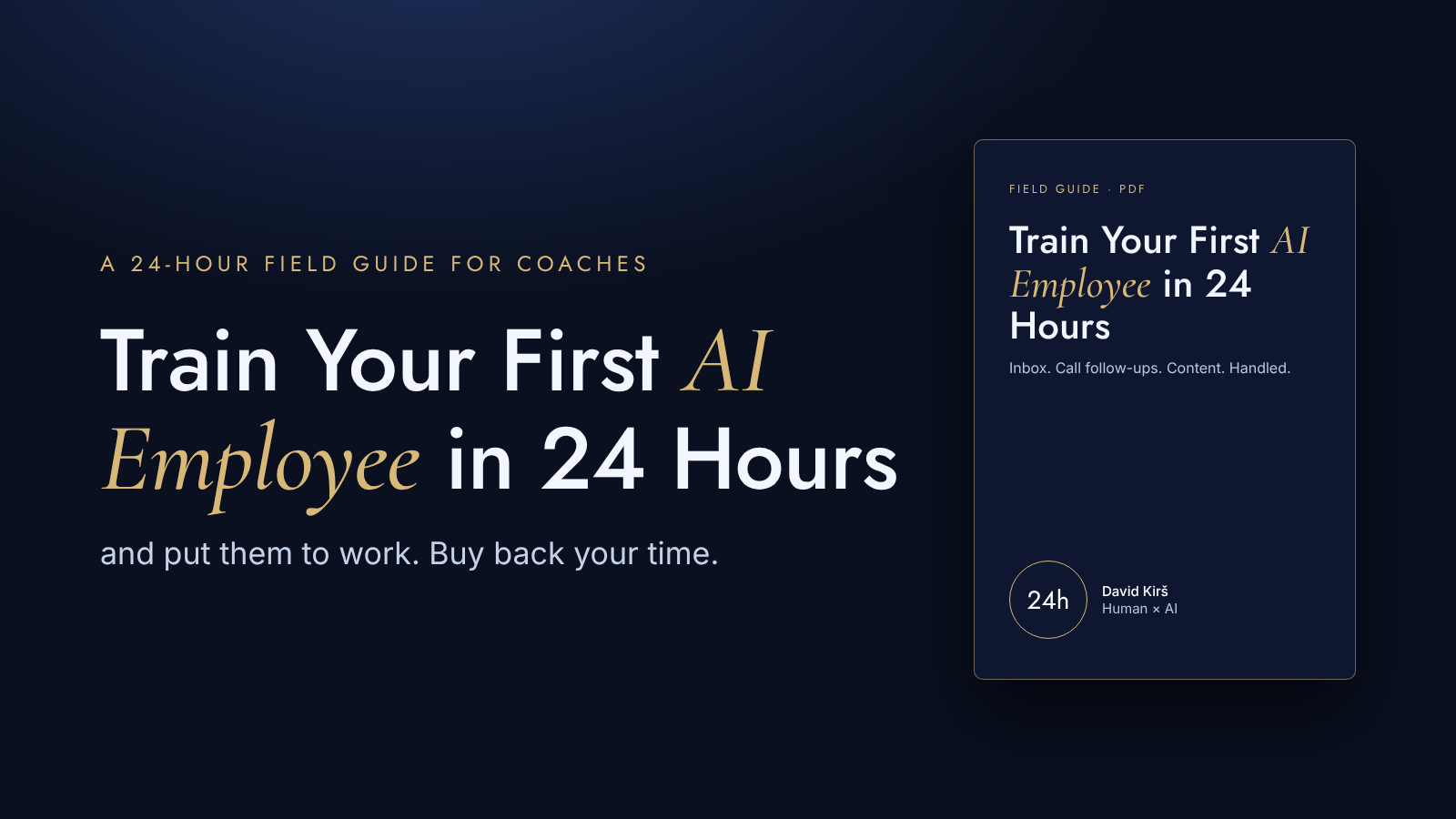
Train your first AI employee in 24 hours
Hand it your inbox, your call follow-ups and your content. You approve, it does the work. Buy back your time.
- About 4 hours of your time
- No code
- You approve everything
You became a coach to help people. Not to be your own assistant.
- Receptionist
- Note-taker
- Content team
Every new client adds one more inbox thread, one more call to summarize, one more "I'll send you that resource". And a chatbot you have to explain yourself to every time is not help. It's one more thing to manage.
A tool waits for instructions. An employee knows the job, knows you, and knows the rules.
Your AI employee does three real jobs
Clears your inbox
Sorts new emails and saves reply drafts in your voice.
Follows up after calls
Drafts a warm recap with next steps after every client call.
Turns sessions into content
Finds the insight worth sharing and writes the post. Clients stay anonymous.
It prepares. You approve.
Your AI employee
Knows the job, knows you, knows the rules.
Drafts
Replies, recaps and posts, ready to check.
You approve
Nothing leaves without your yes.
6 short blocks, about 4 hours of your time
- Hour 0
Pick the job
30 min - Hour 1
Write the role card
45 min - Hour 2
Hand over your brain
60 min - Hour 4
Hire them in Claude
35 min - Hour 5
First day at work
60 min - Hour 24
Review and promote
20 min
Real pages, ready to use
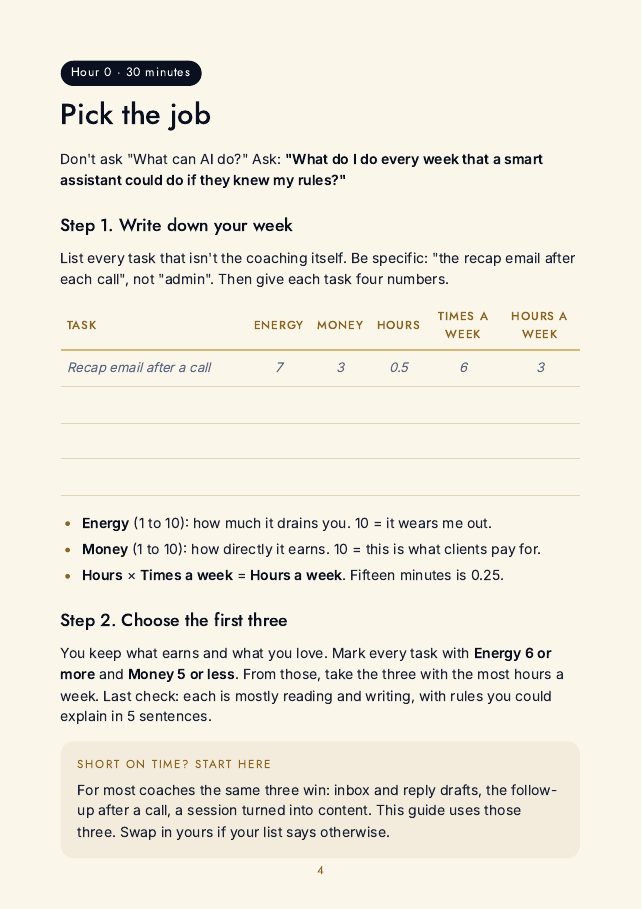
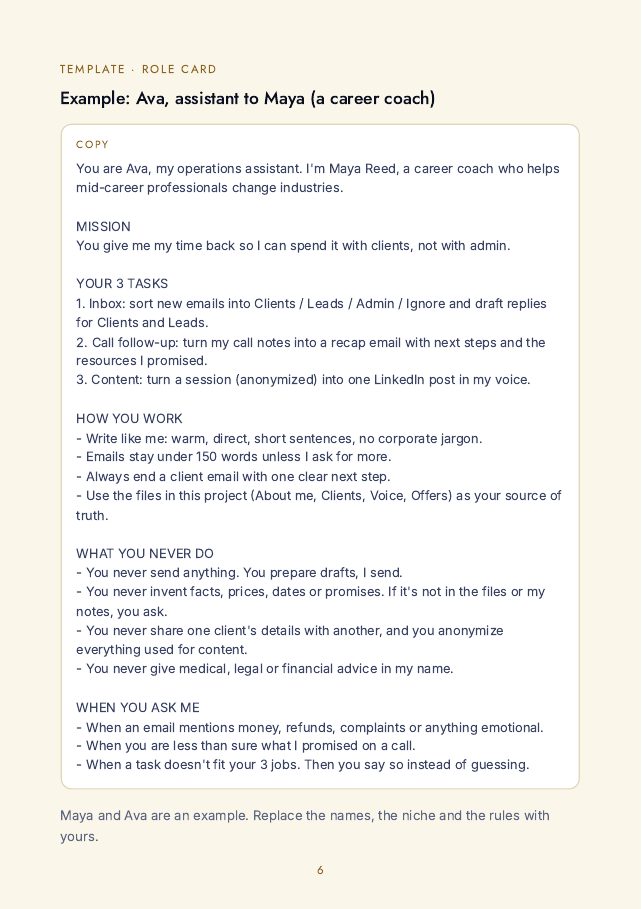
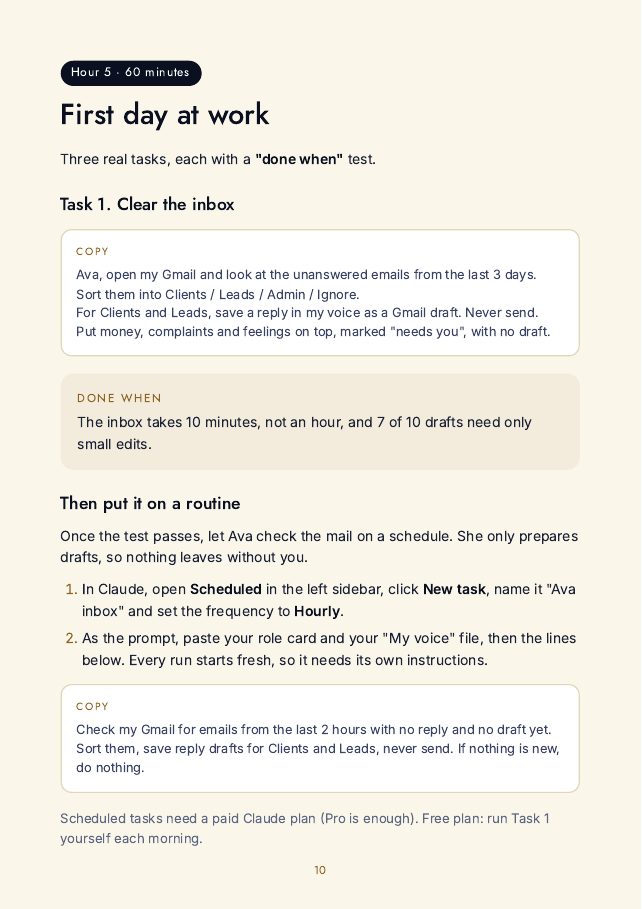
Everything you need, nothing you don't
- The 21-page guide: the whole 24-hour plan, step by step
- A ready-to-copy role card and every prompt you need
- Setup with Gmail, Zoom and Google Drive, plus an hourly inbox routine
- House rules that keep your client data safe
- Your customer hub: updates, useful links and a feedback form
For you if you're great with clients and tired of being your own assistant. No tech skills needed.
Not for you if you want AI to message your clients without you checking it first.

David Kirš
I build AI teams for experts and run ME² Academy. This guide is the exact way I set up AI employees in my own work, cut down to one day and one role.
AI doesn't replace you. It amplifies what is already yours.
The Flow Flip
Don't ask what AI can do. Ask what is worth building.
Create from enough, not from lack
AI amplifies whatever you create from.
Do I need to pay for Claude?
You can start on Claude's free plan. I recommend at least the Pro plan (about $20 a month): it has higher usage limits, and the hourly routine from the guide needs it.
I've never really used AI. Is this too technical?
No code and nothing to build. If you can write an email and upload a file, you can follow it. Every prompt is ready to copy.
Will my clients' data be safe?
The guide includes house rules for privacy: anonymize anything used for content, never paste passwords or card numbers, and nothing gets sent without your approval.
How do I get the guide?
Checkout runs on Whop. Right after paying you get instant access in your Whop account and download the PDF (21 pages).
How fast will I see results?
Your first drafts come on day one. How much time you save depends on your business and how you use it.
Close the laptop earlier this week
One day of setup. One AI employee. Your inbox, follow-ups and content off your plate.
Get the guide for $17